 Rusuban
Devices
Every phone and browser that can reach your agent, a six-digit code to add one, and one tap to cut one off.
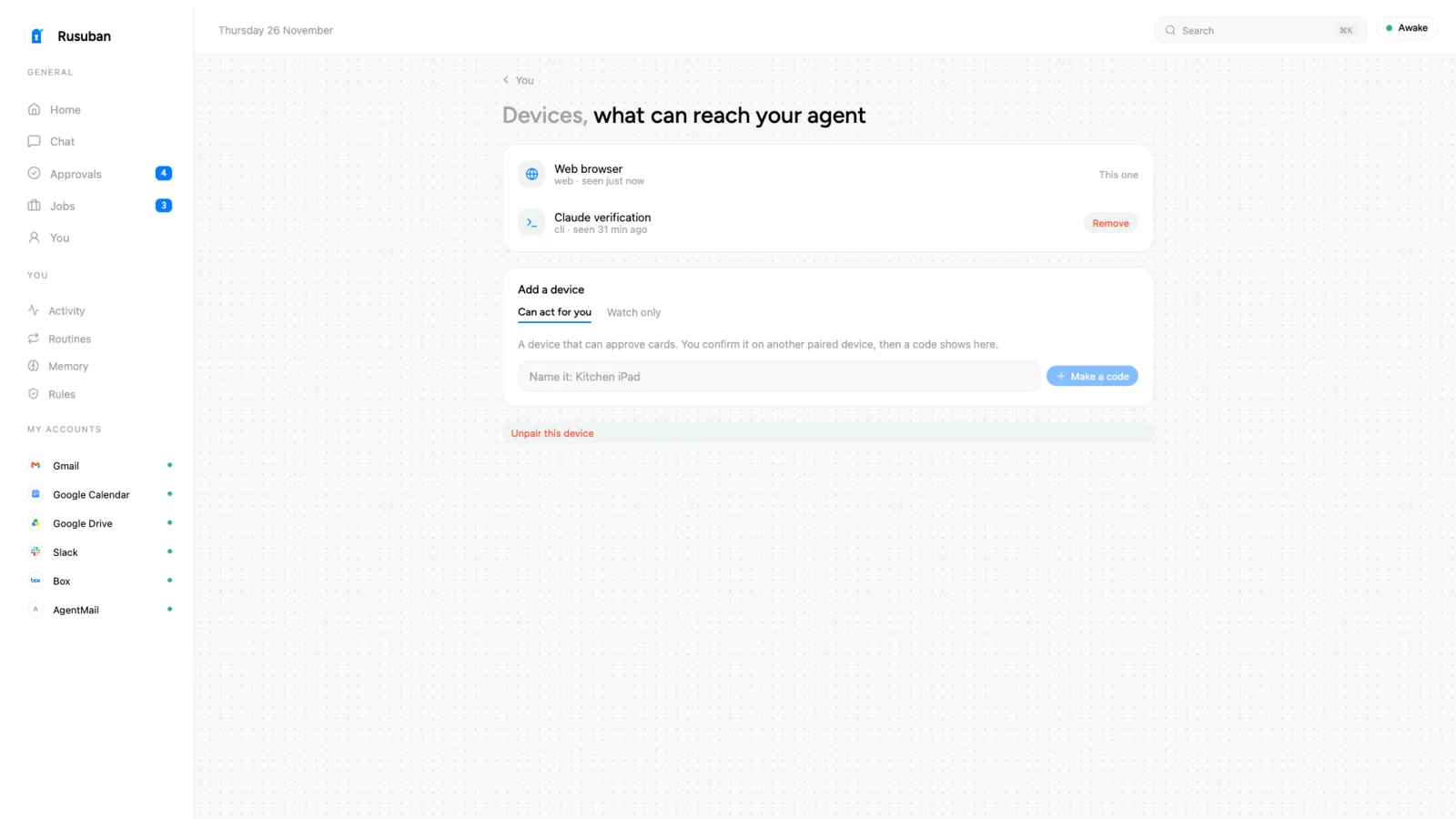
Adding a device
Under Add a device, name it and pick:
| Kind | What it can do | How it's added |
|---|---|---|
| Can act for you | everything: approve cards, chat, change settings | makes a card you confirm on a different paired device; then the code shows on the device that asked |
| Watch only | the agent's live view, nothing else | the code shows at once |
The new device uses the six-digit code (or, with the app installed, scans the QR with its camera, or opens the rusuban://connect link). A code works once, for 10 minutes; five wrong tries end every live code, and pairing is limited to 5 tries per address and 30 in total every 10 minutes.
If this is your only device, there's no second one to confirm on: the screen gives you a one-line command to make a code from your Mac instead.
What a device holds
A device token: 32 random bytes, kept in the phone's secure storage or the browser's storage, and stored on the agent only as a hash. Every request carries it.
Removing one
Remove cuts a device off at once: its token stops working and its live stream closes. Unpair this device does it for the one you're holding. A Rewind keeps removed devices removed.
Activity and usage
Everything it did, who started it and how it went, with a heatmap of when it woke; and what this month cost, by service, with a limit.
Rewind
Restore the whole Sprite to a checkpoint, without sending anything twice, letting a removed device back in, or running a card you never approved.