 Rusuban
Errands and watchers
Web errands in a real browser you can watch and take over, where any button that commits becomes a card; and watchers that tell you when a page drops in price, comes back in stock or changes.
Web errands
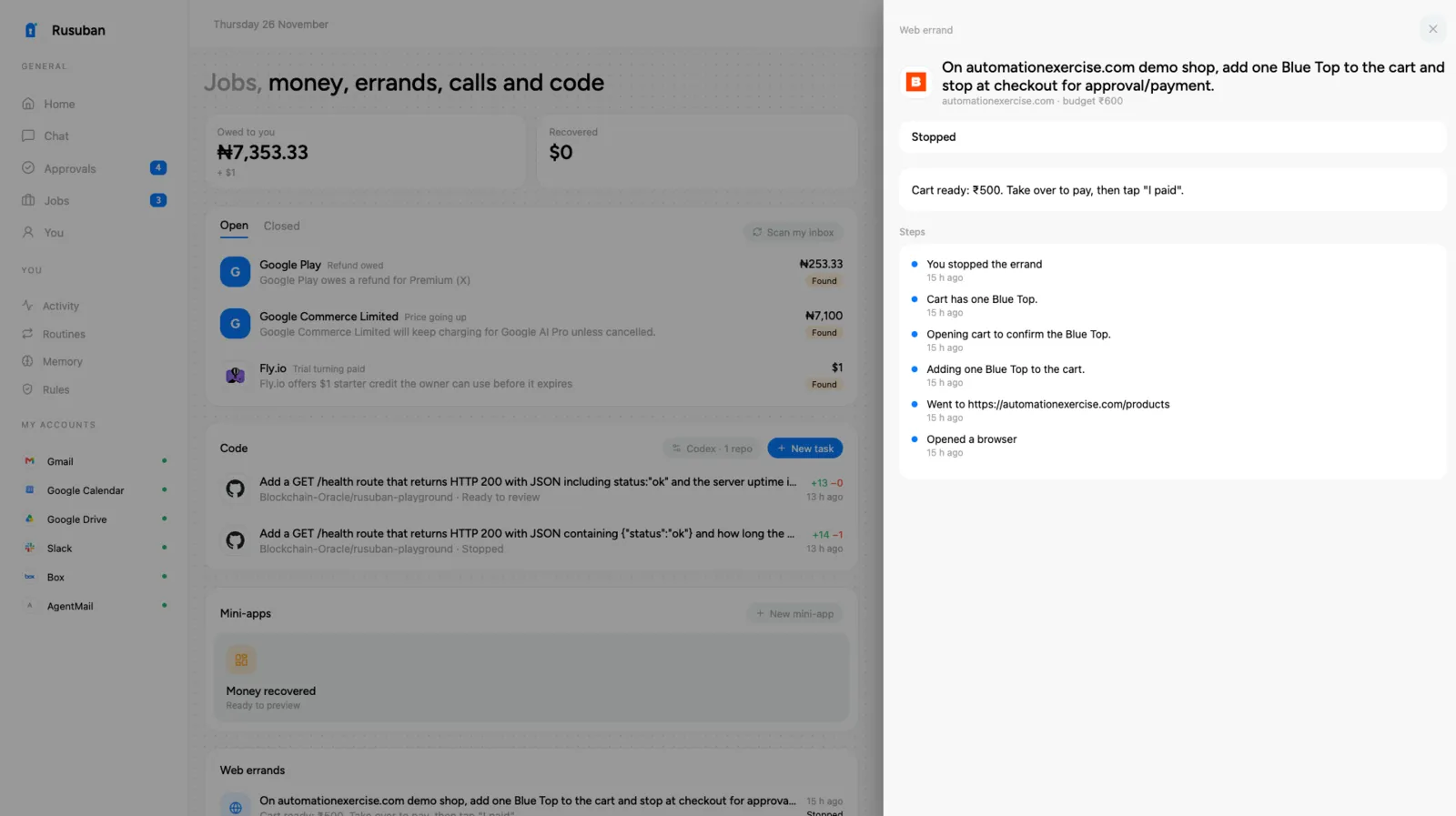
Ask in chat ("put one Blue Top in the cart on automationexercise.com, budget ₹600") and the agent proposes an errand plan first:
| On the plan card | |
|---|---|
| Goal and Starts at | what to do, and the first page |
| Sites | the only domains it may visit |
| May | browse, search, fill forms, add to cart |
| Asks first | buttons that buy, pay, send, post, delete, confirm, subscribe or book |
| Budget | for shopping |
After you approve, a real browser (Browserbase) opens and the agent works step by step from what the page shows. You watch it live on the errand page.
- Buttons that commit become cards. Before pressing one, it stops and asks with the button, the page, the form fields it would send (passwords and card numbers masked) and why. It re-reads the page right before pressing.
- It never types secrets. Password, card and code fields are yours to fill.
- Shopping stops at checkout. Code reads the cart total and compares it with the budget. Then you tap Take over, pay in the live view yourself, and tap I paid.
- Take over any time. Tap the page to click, type into it, press Enter, scroll or go back; Hand back returns control. What you type goes straight to the page and isn't kept.
- Limits. A session lasts 15 minutes, an errand takes up to 30 steps (40 if it needs a few more), and Stop ends it at once.
Errands start from chat. The page and steps stay in Jobs → Web errands.
Watchers
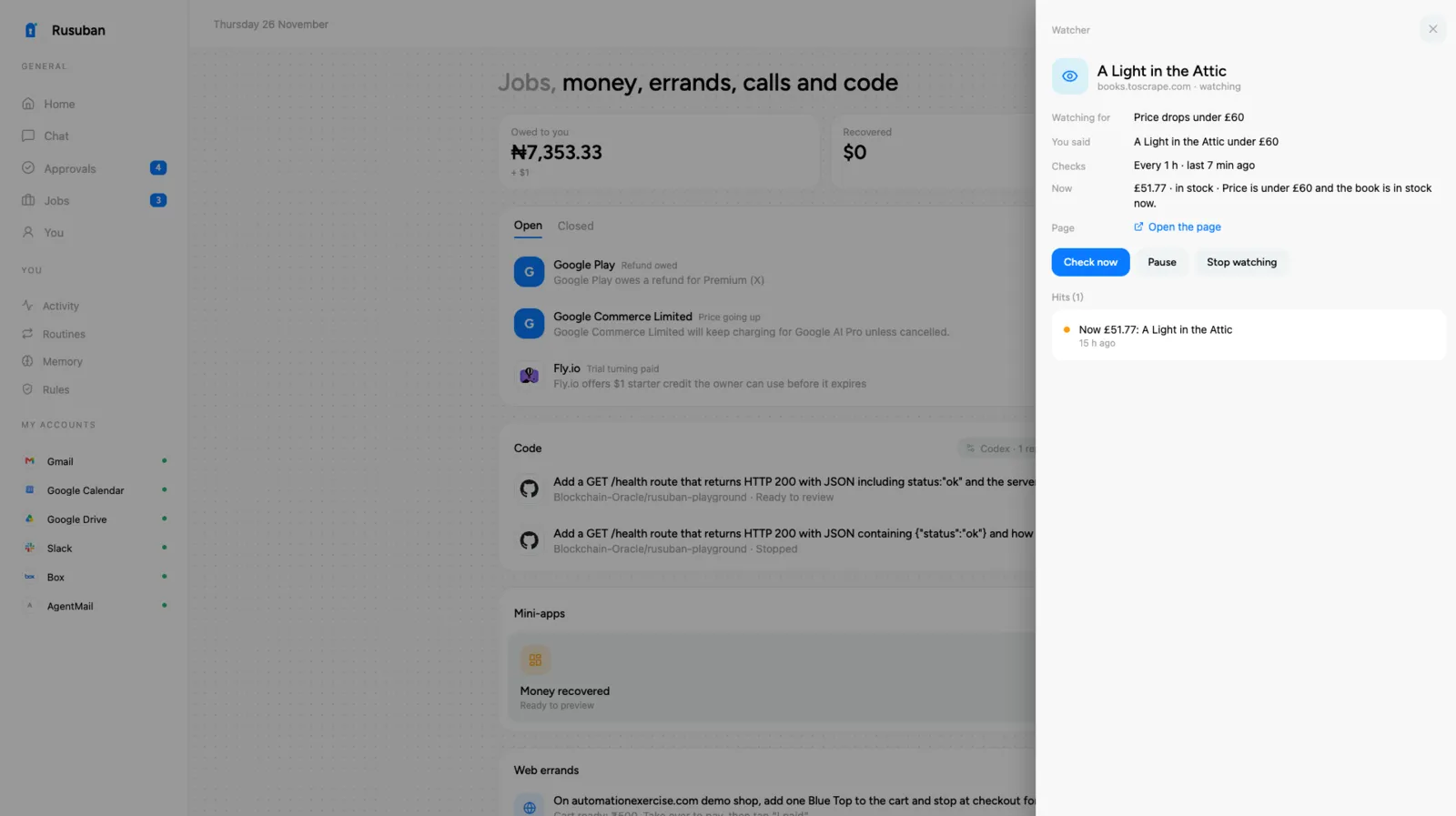
A watcher checks one public page on a schedule and pushes you when it matches:
| Kind | Example |
|---|---|
| Price drops under | "tell me when this jacket is under $120" |
| Back in stock | a sold-out size |
| Any change | a listing page, a slot, a notice |
| Matches what I want | Jev decides if the page now matches what you described (70% or more) |
Make one from Jobs → Watchers → New watcher (page link, kind, target, a note, and how often: 15 min, 1 hour, 6 hours or daily) or ask in chat. Checks run at most every 15 minutes, every hour by default; a page that hasn't changed since the last look is skipped. Up to 25 watchers can run at once. Check now, Pause and Stop watching are on its page, with every hit listed.
Reading the web
In chat the agent can also search the web (Exa) and read a page (Firecrawl), with Browserbase as the fallback for both. It only reads public http(s) pages; addresses that resolve to private networks are refused.
Phone calls
It calls a business on your own Twilio number through ElevenLabs, says it is an AI assistant calling for you, agrees only to what you allowed, and brings back the transcript.
Code tasks
Ask from your phone. A coding agent works on a copy in a separate, locked-down Sprite; you read the diff, rebuilt from GitHub's own files, and approve a draft pull request.