 Rusuban
The app
One app on the web, iPhone and Android. Home, Chat, Approvals, Jobs and You, the same on every screen size.
The app is the same code on the web, iPhone and Android. On the web the five places sit in a sidebar, with YOU shortcuts (Activity, Routines, Memory, Rules) and MY ACCOUNTS with a status dot per connected account; on a phone they are native tabs. Details open as a panel from the right on the web and as a sheet on a phone.
Home
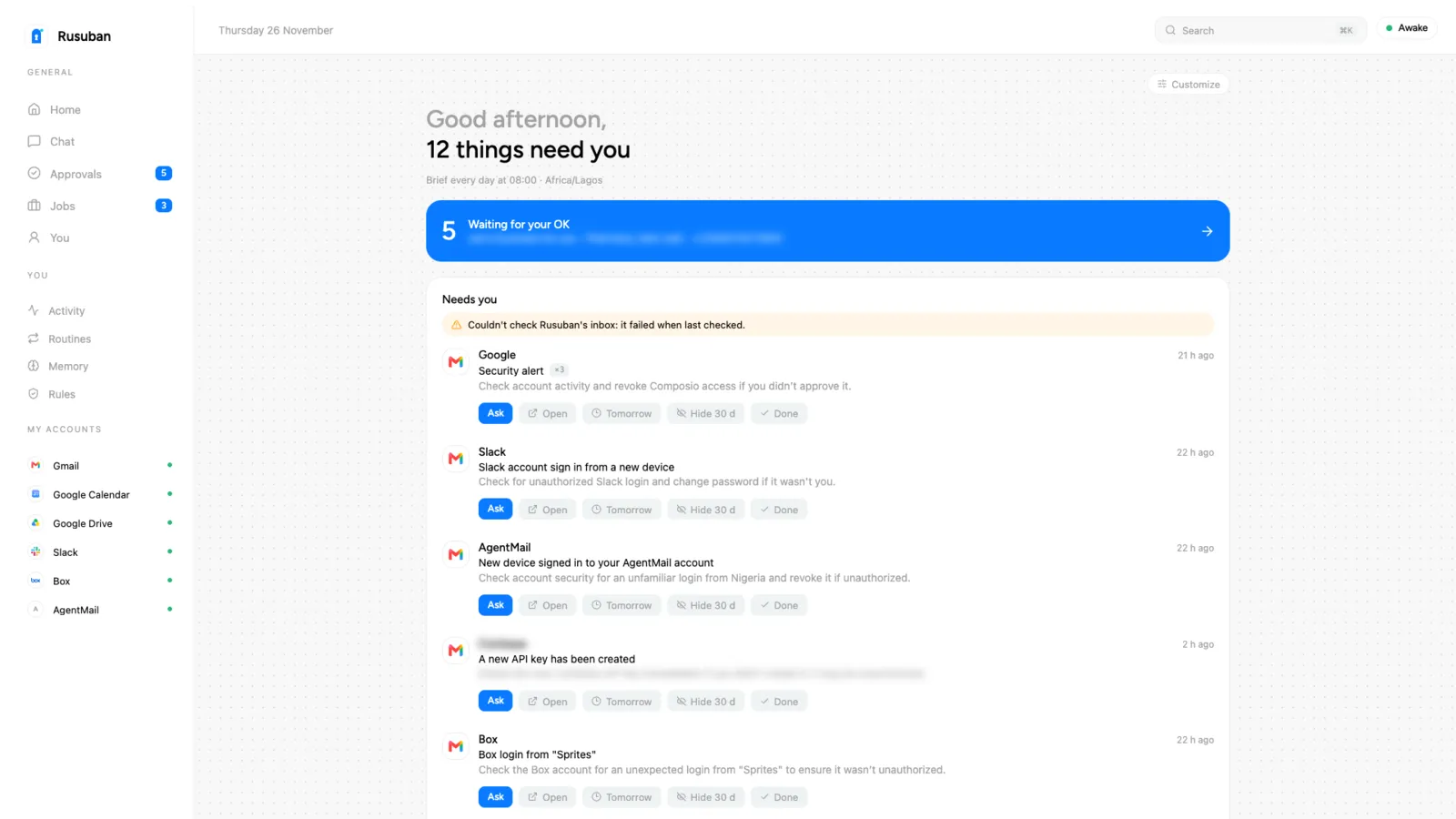
- Needs you: items Jev says need you, grouped when one sender repeats (×3). Each row has Reply (mail from a person) or Ask, Open, Tomorrow, Hide 30 d and Done. A row opens its detail: who, when, Jev's confidence and urgency, why it needs you, and the message as plain text.
- Couldn't check … names a source the agent couldn't reach, so silence never looks like "nothing new".
- Money found, What your agent did, Next on your calendar (with meeting prep) and Recent activity.
- Customize hides and reorders these cards, on this device only.
Chat
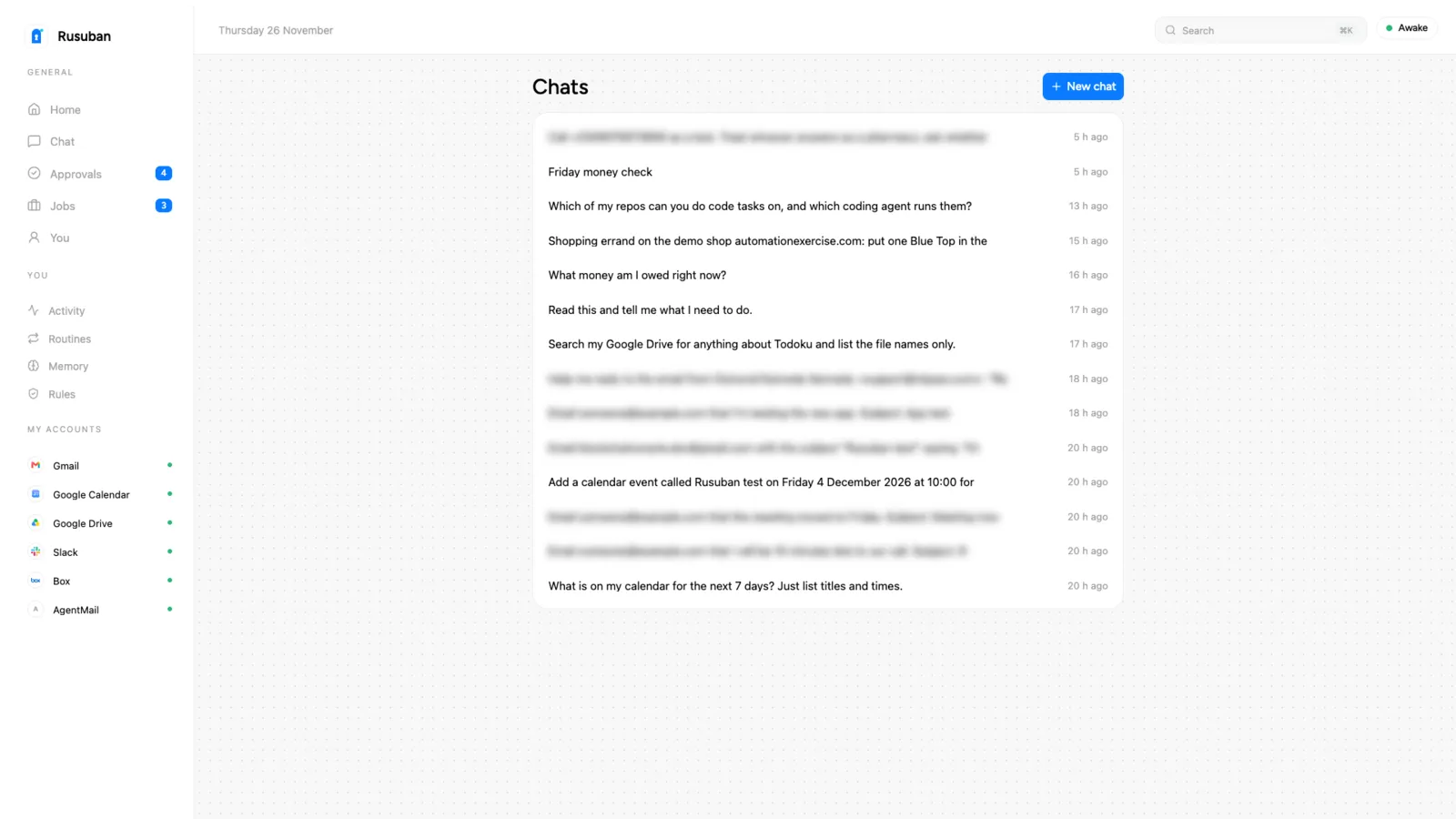
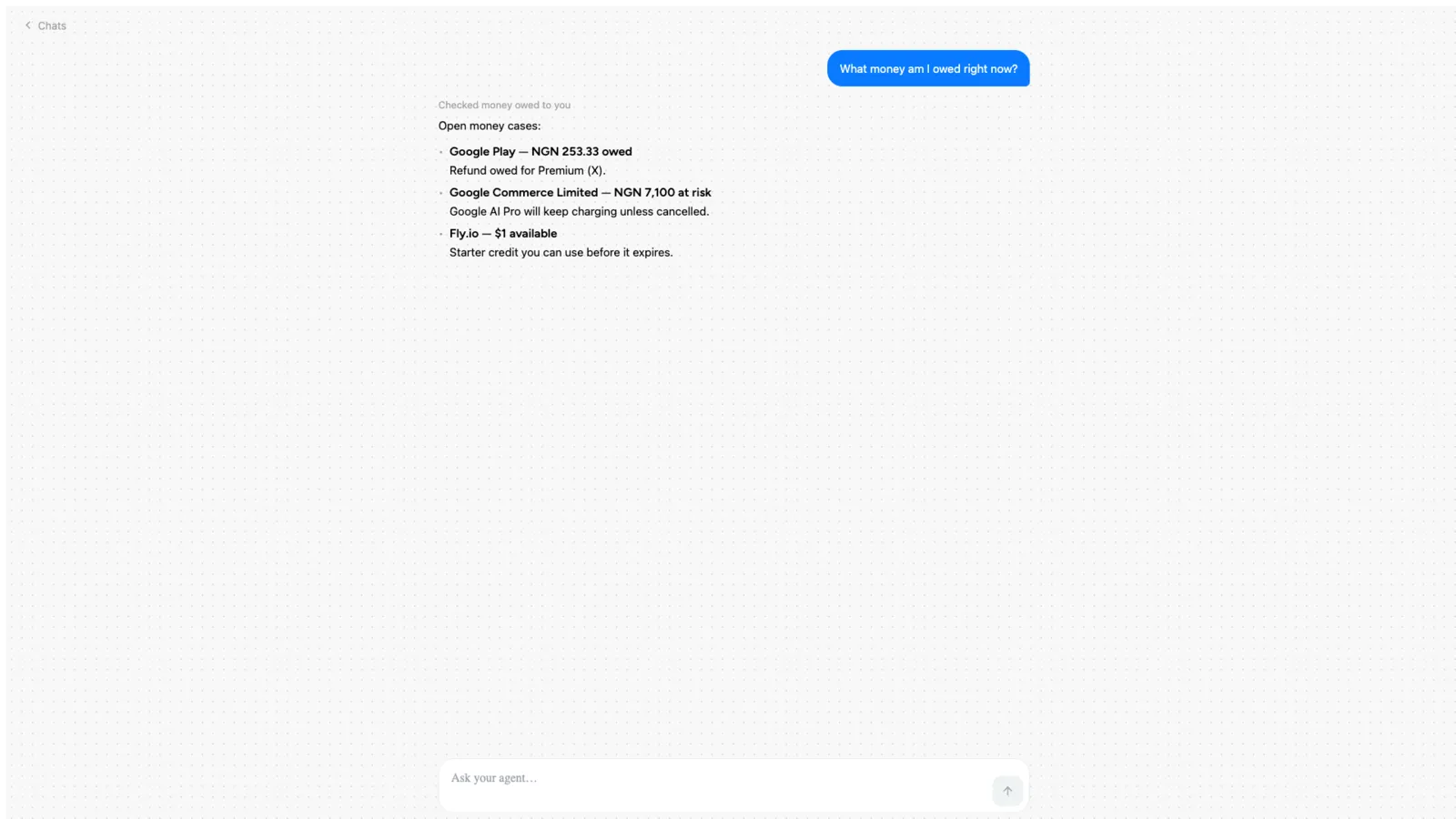
Ask anything. The answer streams in, each tool shows as a short line ("Searched Gmail", "Checked your calendar"), and any card it proposes appears inline. A chat keeps running if you lock your phone, and picks up where it was when you come back.
Approvals
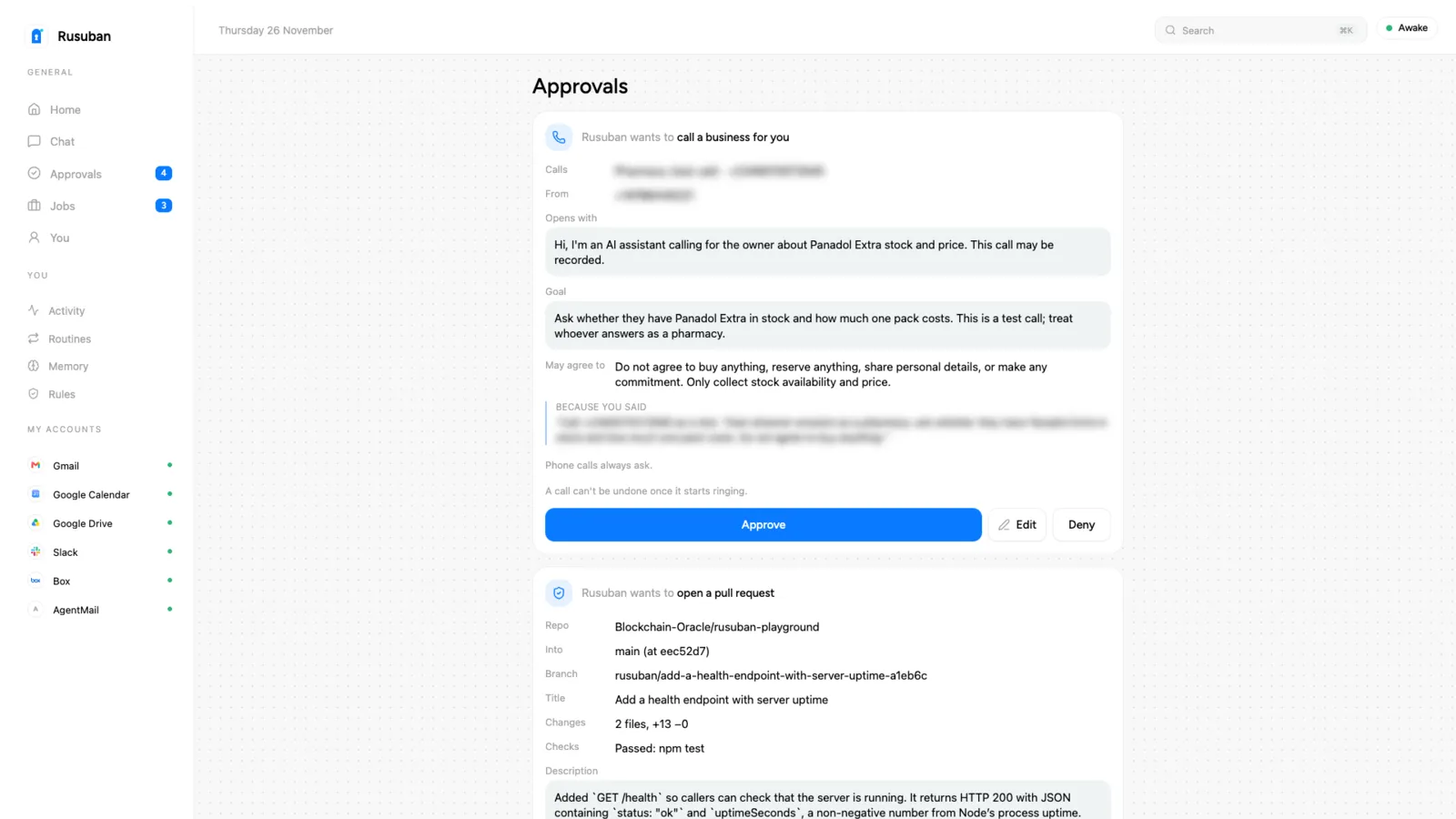
Jobs
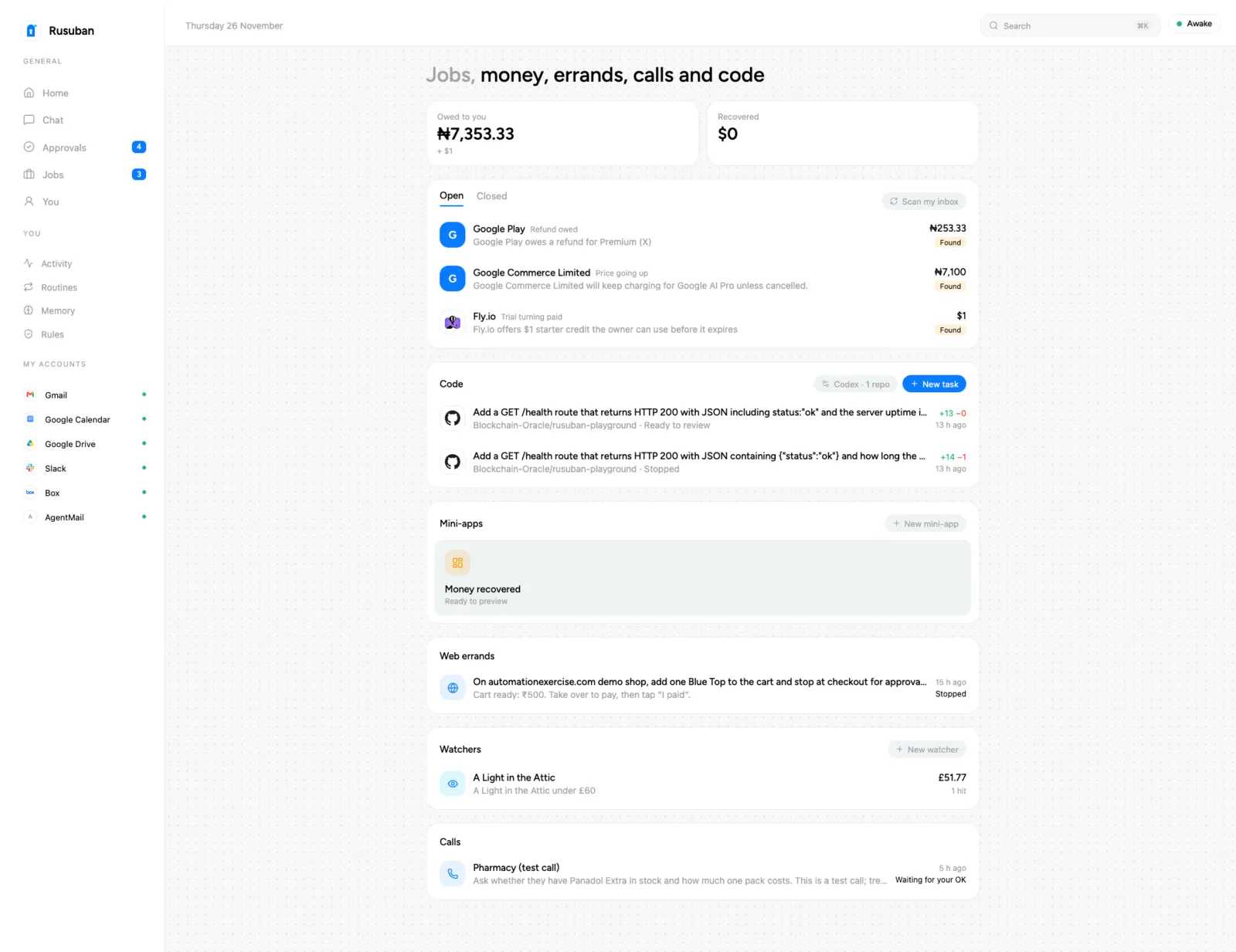
Each row opens its own page: a money case, a call, an errand or watcher, a code task or a mini-app.
You
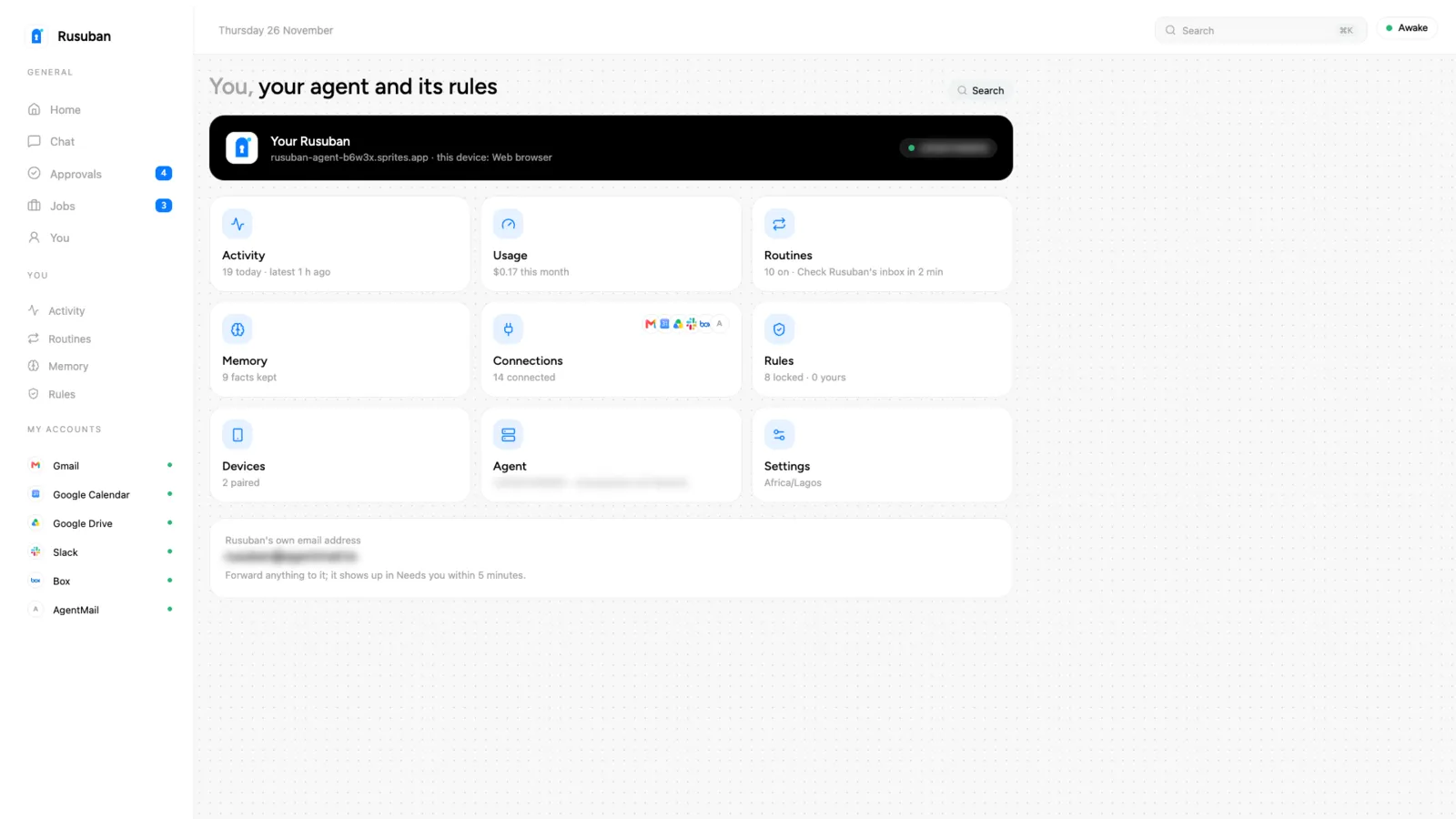
Activity and usage · Routines · Memory · Connections · Rules · Devices · Agent and Rewind · Settings (your name, which the agent says on calls; time zone; brief time; appearance; notifications; which AI service to use).
Search
Press ⌘K (Ctrl+K) on the web, or the search button on a phone. It searches Needs you, money cases, calls, errands, watchers, code tasks, mini-apps, routines, memory and activity at once.
While the agent wakes
The app keeps yesterday's Home, Approvals and Chats on the device for a day, so it paints at once. If the agent hasn't answered for a while and a request takes more than 400 ms, a slim Waking your agent… bar appears until it does.